IMEI Check: How to Find and Verify Your Phone’s IMEI Number
An IMEI check helps you identify a mobile phone, verify its device information and find out whether it has been reported as blocked or flagged in an available database. The fastest way to find your phone’s IMEI number is to open the dialler and enter *#06#. The number should appear on the screen automatically.
You can also locate the IMEI through your phone’s settings or original packaging. In India, the government’s Sanchar Saathi service allows consumers to verify an IMEI before purchasing a new or second-hand handset.
Finding the number and checking its status are two different tasks. Here’s how to complete both, what the results mean and which additional checks matter when buying a used phone.
What Is an IMEI Number?
IMEI stands for International Mobile Equipment Identity. It is a 15-digit identifier assigned to equipment that connects to cellular networks.
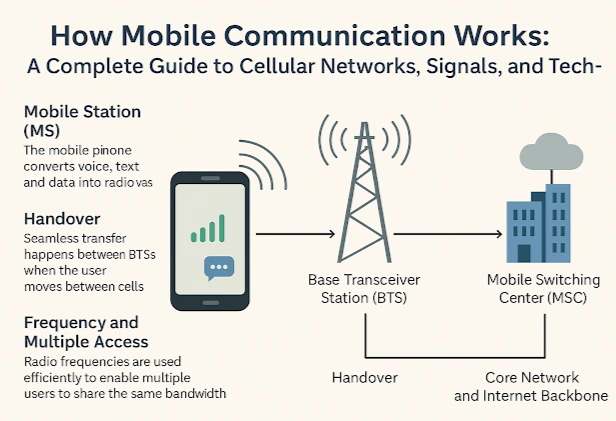
Mobile network operators use IMEI information to identify devices and manage network access. The identifier is associated with the equipment, while a mobile number is associated with a subscriber’s service.
An IMEI contains three main components:
| Component | Digits | Purpose |
| Type Allocation Code (TAC) | 8 | Identifies the device type and model allocation |
| Serial number | 6 | Identifies an individual unit within that allocation |
| Check digit | 1 | Helps detect errors in the IMEI number |
The final digit helps validate the number’s structure. However, a mathematically valid IMEI does not automatically prove that a phone is genuine or legally owned.
Some smartphones have two IMEI numbers because they support two cellular connections, including combinations of physical SIM and eSIM functionality.
A Wi-Fi-only tablet generally does not have an IMEI because it does not contain cellular network equipment.
IMEI Number Check Code: The Fastest Method
The universal IMEI number check code is *#06#. It works on most Android smartphones and iPhones.
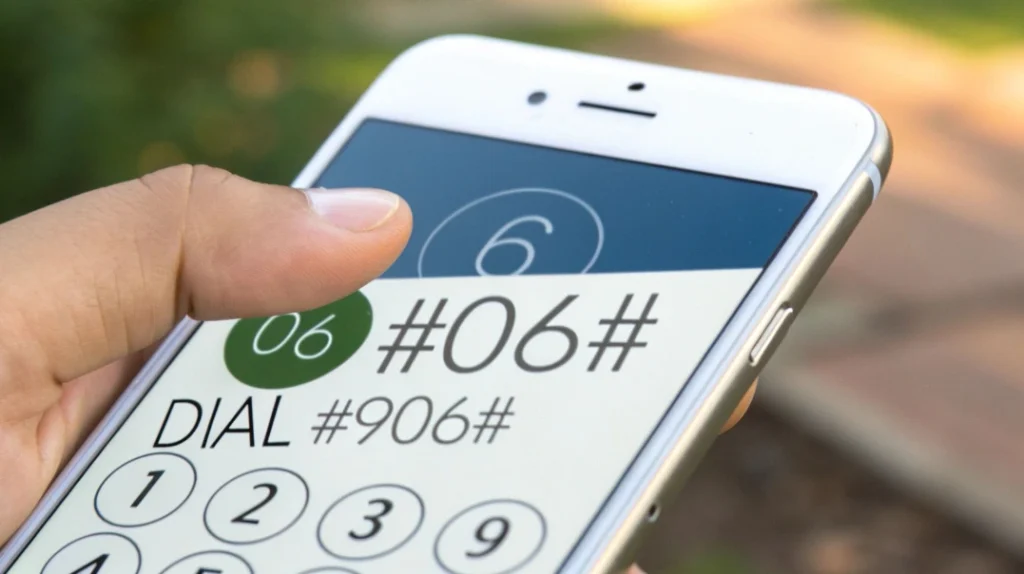
To find your number:
- Open the Phone app.
- Select the keypad.
- Enter *#06#.
- Wait for the device information to appear.
- Record the IMEI number displayed on the screen.
The code normally displays the number automatically, so you do not need to press the call button.
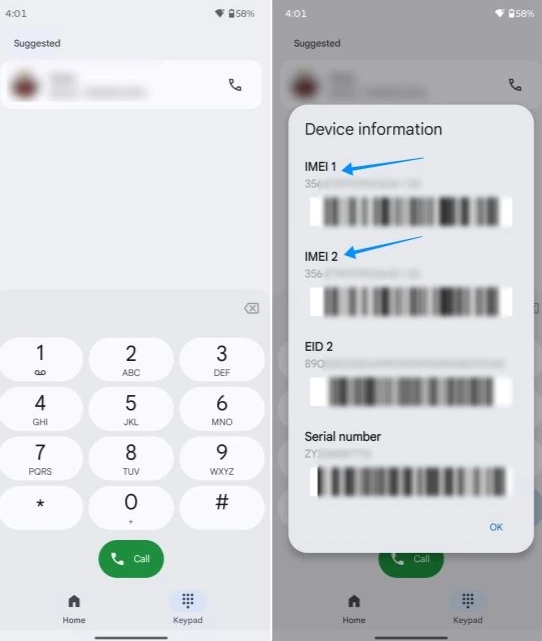
On a dual-SIM phone, you may see IMEI 1 and IMEI 2. Record both numbers if you are checking a second-hand device or preparing information for a lost-phone report.
The code displays identification information. It does not perform an online blacklist check or confirm whether a handset has been stolen.
How to Check IMEI on Android
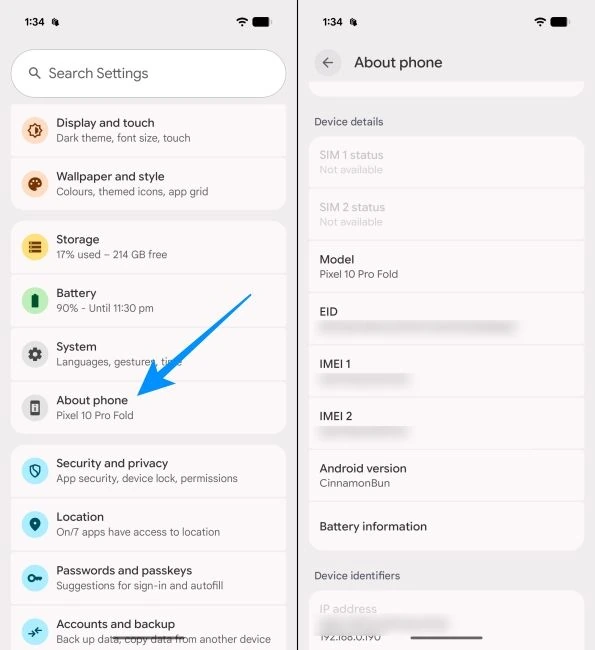
Android users can find the IMEI number through the Settings app without entering a dialler code.
The exact menu depends on the manufacturer and Android version.
For most Android phones, follow these steps:
- Open Settings.
- Select About Phone.
- Look for IMEI or Device Information.
- Open the relevant section if the number is not immediately visible.
- Record the displayed IMEI number.
On Google Pixel devices, the number is available under Settings > About Phone.
Samsung, Xiaomi, Vivo, OPPO and other Android manufacturers may use slightly different menu labels.
Some devices display the IMEI in a Status or SIM Status section.
If your smartphone has two cellular identifiers, check whether the settings screen displays both IMEI 1 and IMEI 2.
Do not confuse the IMEI with the phone’s serial number, SIM card identifier or EID. These identifiers serve different purposes.
How to Find IMEI on iPhone
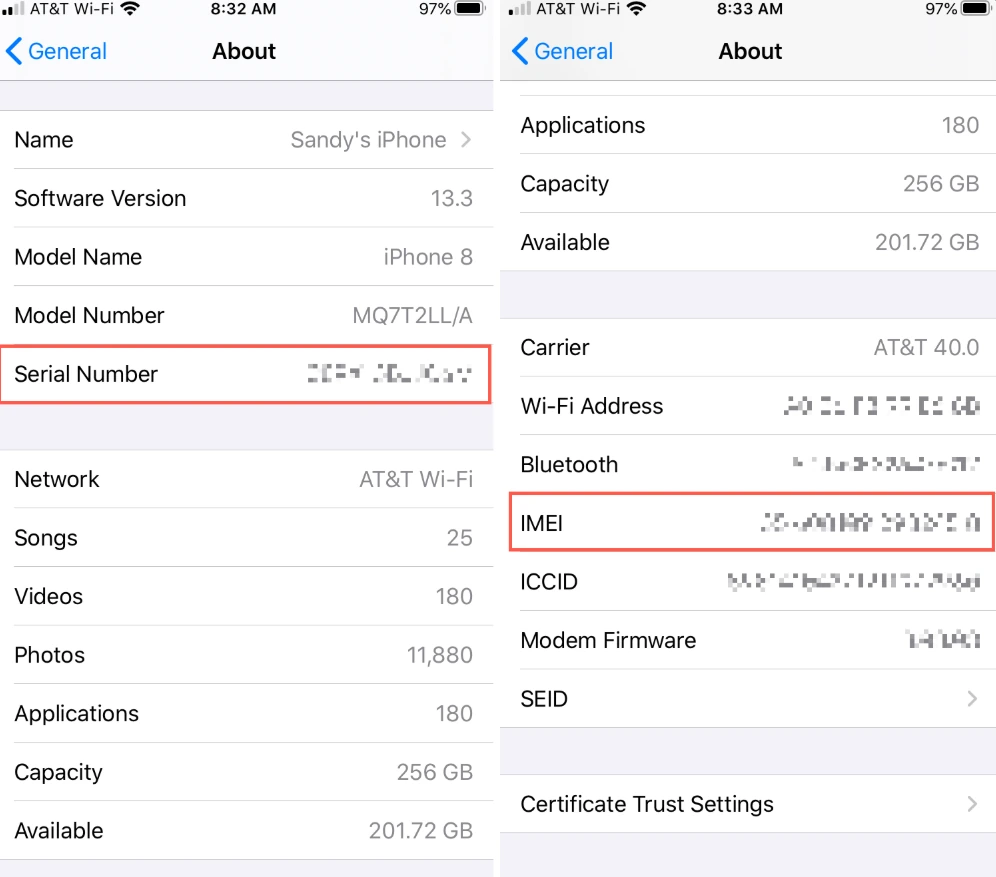
Apple provides several ways to locate the IMEI, including the Settings app and the original device packaging.
The most straightforward method is:
- Open Settings.
- Tap General.
- Select About.
- Scroll down to find IMEI.
Compatible dual-SIM models may display a second IMEI.
You may also find EID and ICCID information on this screen. EID identifies an embedded SIM component, while ICCID identifies a SIM profile or card.
If you need the IMEI for an eSIM activation, confirm with your mobile operator which identifier is required.
Tip: Press and hold the IMEI number in the About screen to copy it. This reduces the chance of entering a 15-digit number incorrectly.
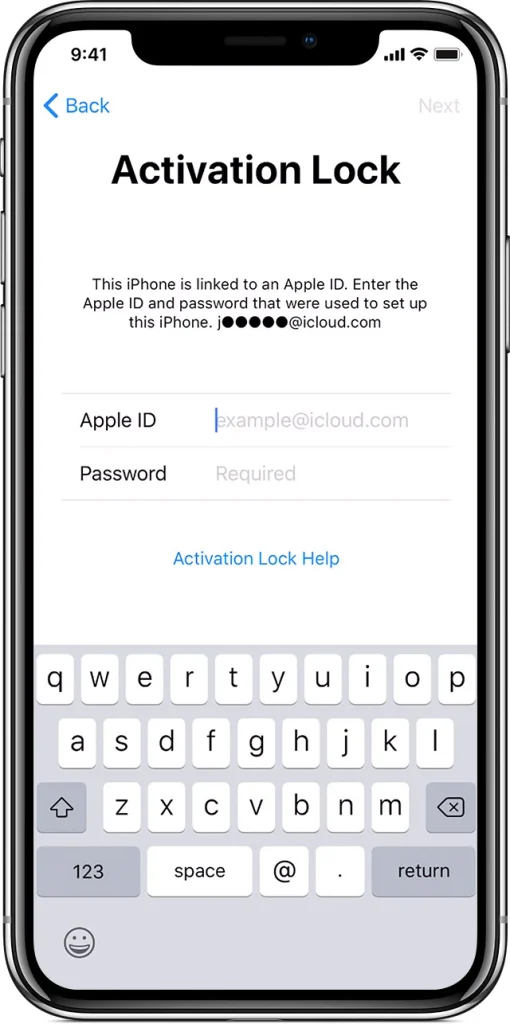
For a used iPhone, obtaining the IMEI is only the beginning of the verification process. You should also check Activation Lock and confirm that the seller can remove the previous owner’s Apple Account.
How to Find IMEI on Tablets
Cellular-enabled tablets may have IMEI numbers, while Wi-Fi-only models generally do not.
For an iPad with cellular connectivity, open:
Settings > General > About
Scroll down to locate the IMEI.
On an Android tablet, open Settings and find About Tablet or the corresponding device information section.
Some models place the IMEI under Status Information.
If no IMEI appears, check whether your tablet actually supports cellular connectivity. A serial number alone does not mean the device has an IMEI.
For tablets without a telephone dialler, the Settings menu and original packaging are usually the most practical options.
How to Check IMEI in India Using Sanchar Saathi
Finding a 15-digit number identifies the device. Verifying that number against an official database provides additional information about its status.
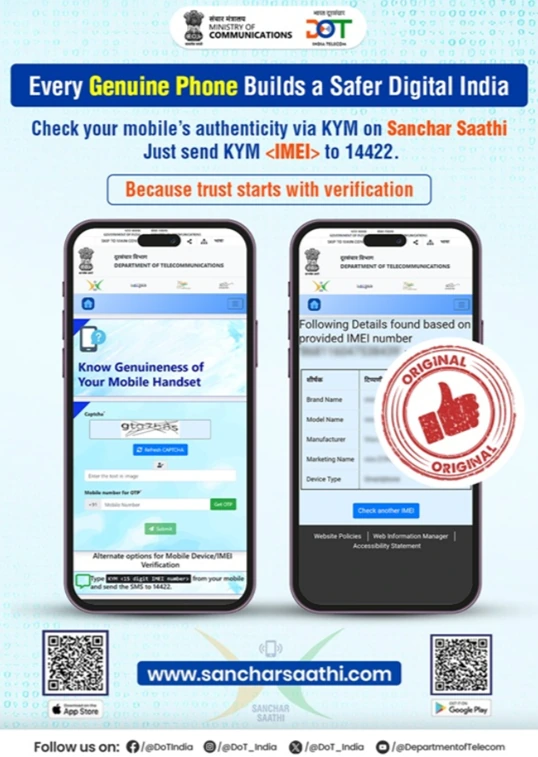
In India, the Department of Telecommunications provides the Sanchar Saathi service, which includes IMEI verification through the Central Equipment Identity Register (CEIR).
The service allows consumers to check the genuineness and reported status of a mobile handset before purchasing it.
Method 1: Verify IMEI by SMS
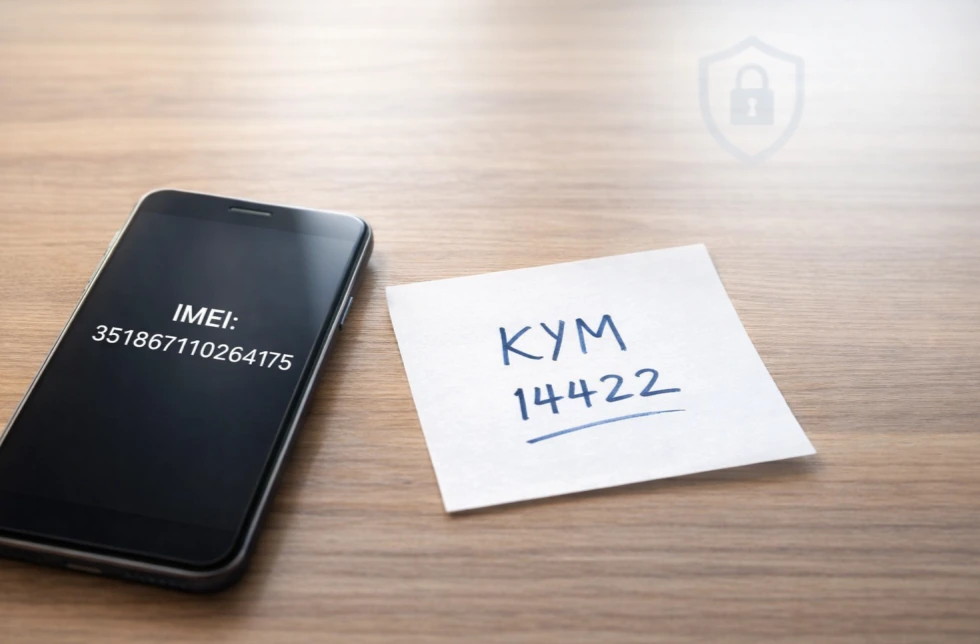
The official SMS verification method uses the KYM service.
KYM stands for Know Your Mobile.
Follow these steps:
- Open the Messages app.
- Create a new message.
- Type KYM followed by a space and the 15-digit IMEI number.
- Send the message to 14422.
- Review the response containing the device information and status.
The SMS format is:
KYM <15-digit IMEI number>
Replace the placeholder with your phone’s actual IMEI number.
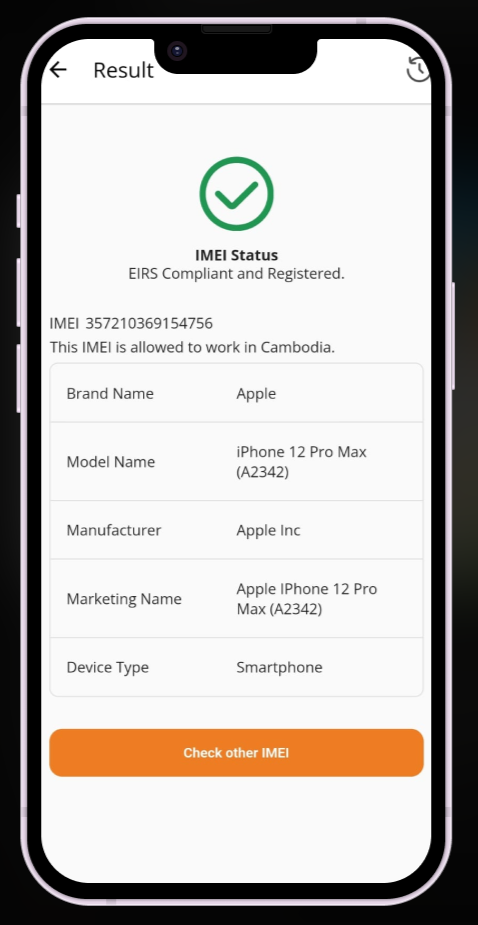
The response can provide the handset’s manufacturer, brand and model information, together with its reported IMEI status.
For dual-SIM devices, verify both numbers.
Method 2: Check IMEI Online
You can also use the IMEI verification facility on the official Sanchar Saathi portal.
Open the service’s Know Genuineness of Your Mobile Handset section and follow the instructions.
The online verification process includes mobile-number verification through an OTP before submitting the IMEI.
Enter the number exactly as displayed on your device.
The system can identify problems such as an invalid, duplicate or blacklisted IMEI.
The official service advises consumers to avoid purchasing devices that return blacklisted, duplicate or already-in-use warnings.
What Does an IMEI Check Reveal?
An IMEI verification result can help identify inconsistencies, but the information available depends on the database.
The Indian government service can provide manufacturer and model information alongside the device’s reported status.
A blacklisted result is a serious warning because the handset may have been reported lost, stolen or otherwise flagged.
A duplicate result can indicate that the identifier is associated with more than one device, which requires further investigation.
However, a positive verification result has limitations.
An IMEI check does not automatically confirm:
- That the seller legally owns the handset.
- That the device has no outstanding finance obligations.
- That an iPhone is free from Activation Lock.
- That every internal component is original.
- That the battery and other hardware are functioning correctly.
Blacklist information may also depend on when a report was submitted and which systems have received it.
A clean result is useful evidence, but it should never replace a physical inspection and ownership checks.
IMEI Check Before Buying a Used Phone
Second-hand smartphones often cost less than new devices, but an attractive price can conceal expensive problems.
Before handing over payment, perform several checks while the seller is present.
First, display the IMEI using *#06# and compare it with the number in Settings.
Next, compare the number against the original packaging or purchase invoice, if available.
A mismatch deserves an explanation. Packaging alone is not reliable evidence because boxes and labels can be exchanged.
Then verify the IMEI through Sanchar Saathi.
If the service reports a problem, avoid completing the purchase until the discrepancy has been resolved through an appropriate official channel.
For iPhones, ask the seller to erase the device and demonstrate that it can be set up without requesting the previous owner’s Apple Account credentials.
For Android phones, check whether factory reset protection requires credentials belonging to the previous owner.
Finally, insert a SIM card and test mobile network connectivity.
A valid IMEI and successful network connection are separate checks. Complete both before buying a used handset.
Can an IMEI Help Recover a Lost or Stolen Phone?
An IMEI can help identify a lost or stolen handset and support a request to block its cellular network access.
In India, Sanchar Saathi provides a facility for blocking lost or stolen mobile devices through CEIR.
The process involves submitting the required information and documentation, including details of the lost handset and a police complaint.
You may also need a replacement SIM associated with the lost mobile number, depending on the applicable request procedure.
Blocking prevents the reported device from using participating cellular networks. It does not necessarily power off the phone, erase its contents or disable Wi-Fi.
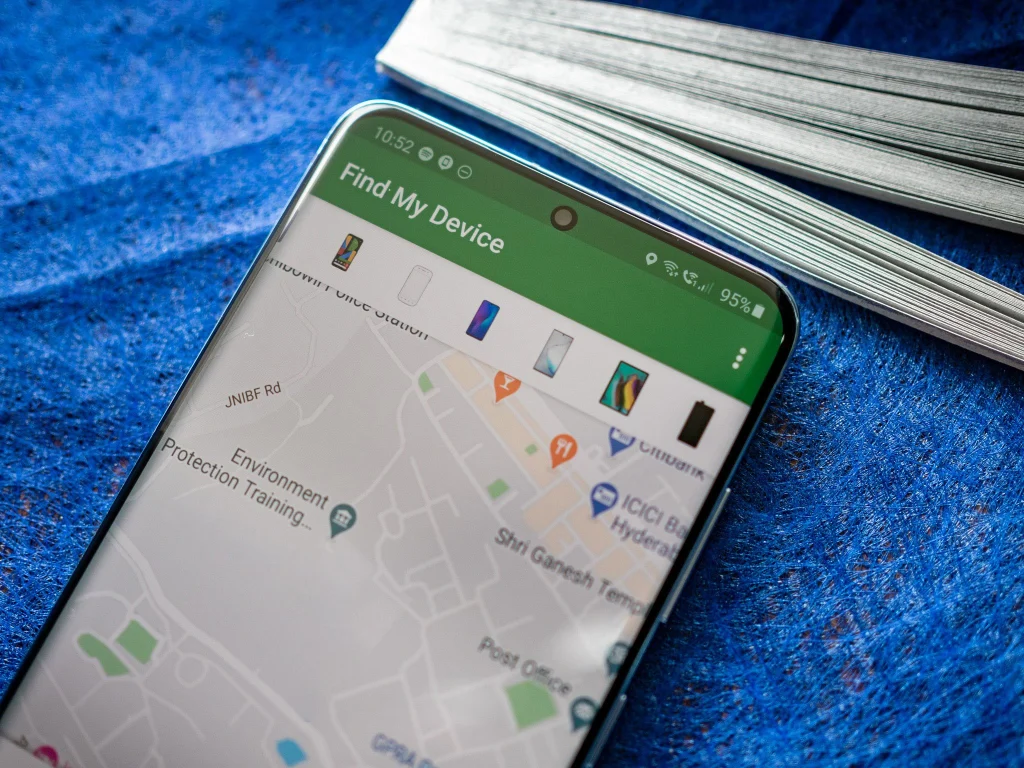
Use your device manufacturer’s remote-location and security features separately to protect personal information.
If the phone is recovered, CEIR provides a process to request unblocking.
Keep a record of your IMEI and purchase invoice somewhere accessible outside the device. Avoid publishing the identifier openly or sharing it with unverified checking services.
What to Do After Checking Your IMEI
If you only need your phone’s identifier, dial *#06# or locate it through Settings.
If you are purchasing a second-hand handset in India, go further: verify the IMEI using Sanchar Saathi, compare device information and check account locks before paying.
For a lost phone, use the identifier when filing a police complaint and completing the official blocking procedure.
The most useful IMEI check combines the device’s displayed number with an official status verification and a physical inspection. Each step answers a different question, helping you identify problems that a single database result may miss.